

Download Free PowerPoint to Video – PowerPoint to video, convert PPT to video, free PowerPoint converter, PPT to MP4, video presentation tool, presentation to video, PowerPoint video maker, free PPT to video tool
Overview
The Free PowerPoint to Video application is a dedicated utility designed to convert Microsoft PowerPoint presentations into video formats, enabling seamless playback across a wide range of devices. This tool addresses the common challenge of sharing dynamic presentations in a universally accessible format, especially when recipients may not have PowerPoint installed or when presentations need to be played on non-computer platforms such as TVs, gaming consoles, or mobile devices. The app is particularly useful for educators, business professionals, and content creators who rely on visual storytelling and need to distribute their work beyond the confines of the original PPT file.
By transforming presentations into video files, Free PowerPoint to Video ensures compatibility and portability, eliminating format-related playback issues. The target audience includes individuals seeking a straightforward, no-cost solution for converting their slideshows into shareable video content. Although the developer is listed simply as "Free PowerPoint to Video," no further details about the company or development background are available. The application’s release date was April 22, 2010, indicating it has been in use for over a decade, suggesting a stable, long-standing presence in the productivity software space. Its continued relevance points to a reliable core function that meets a persistent user need: the conversion of static slide decks into engaging, self-contained video presentations.
Key Features & Functionality
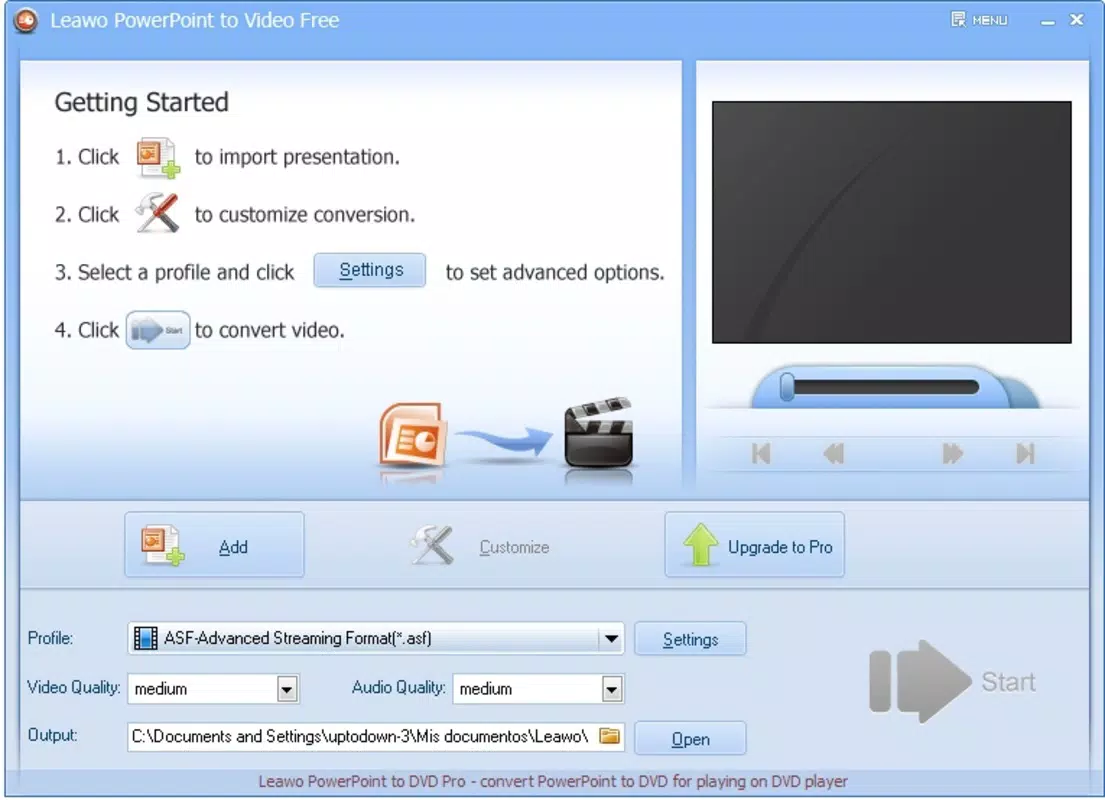
- Multi-Format Video Output: Supports a wide range of video formats including ASF, AVI, FLV, MPEG, and MP4, ensuring compatibility with most media players and devices.
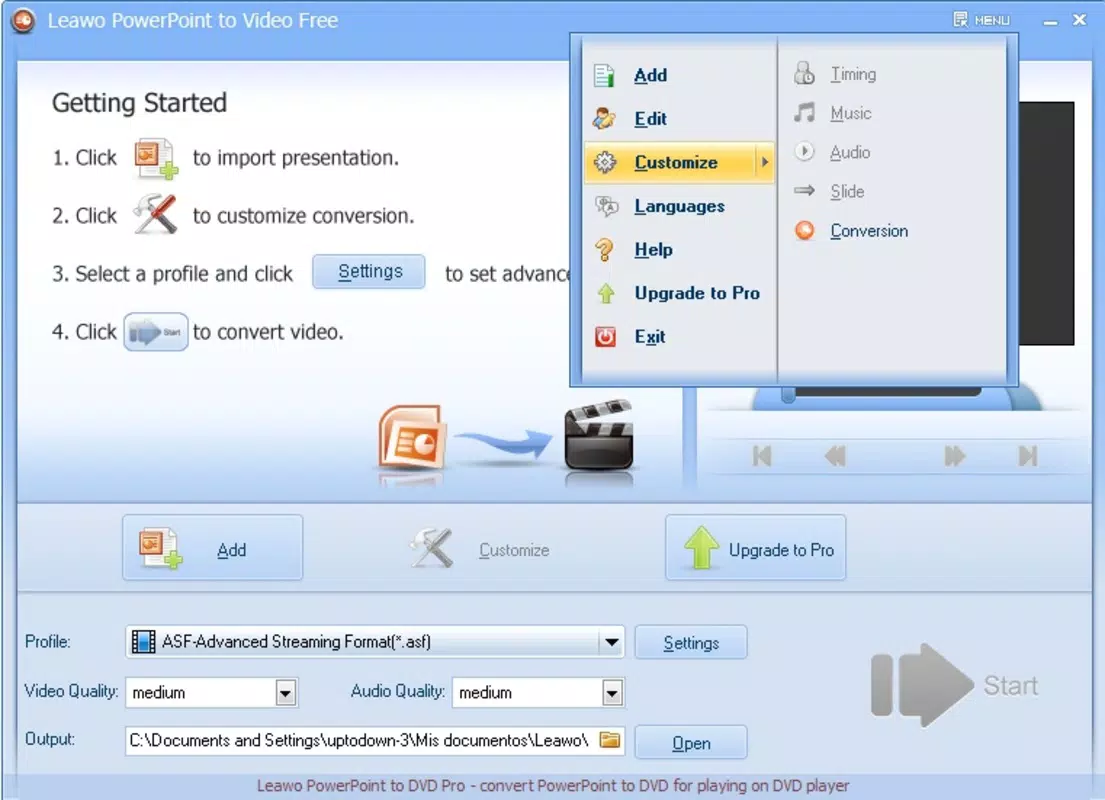
- Simple Conversion Process: Users can initiate conversion with minimal steps—select a presentation file and choose an output format, then click Start.
- Customizable Transformation Settings: Advanced users can adjust parameters to fine-tune video quality, duration, and other output attributes.
- Playback Compatibility Guarantee: Designed to produce videos that play reliably on diverse platforms, including computers, gaming consoles, and portable media players.
- Free to Use: The application is available at no cost, removing financial barriers to access and encouraging widespread adoption.
For example, a teacher preparing a lesson can convert a classroom presentation into an MP4 file to share with students who use tablets or smartphones. Similarly, a sales professional might convert a pitch deck into a video for inclusion in an email campaign or social media post. The customizable settings allow for optimization—such as reducing file size for easier sharing or increasing resolution for high-quality playback on large screens. The tool’s focus on compatibility ensures that the final video will not suffer from playback errors, a common frustration when distributing content across different devices.
Interface, UX & Performance
The interface of Free PowerPoint to Video is described as straightforward and user-friendly, designed to accommodate users of all technical skill levels. The layout appears to prioritize simplicity, with minimal visual clutter and intuitive navigation. Users can load a PowerPoint file through a standard file browser, select a target video format from a dropdown menu, and begin the conversion process with a single click. This streamlined flow reduces the learning curve and enhances usability for beginners.
Although the developer did not list formal performance metrics, the application’s lightweight nature—only 2.1 MB in size—suggests efficient resource usage and fast startup times. The small footprint implies low system requirements, making it suitable for older or less powerful machines. Responsiveness is likely consistent, given the single-task nature of the conversion process. Stability is presumed to be reliable, especially considering the app’s long-standing presence since 2010. However, no specific information was provided about crashes, memory usage, or compatibility with modern Windows versions beyond the platform designation.
Platform Compatibility & Technical Requirements
Free PowerPoint to Video is designed for the Windows platform. The application requires a Windows operating system, though the specific version or minimum OS requirements were not listed by the developer. The file size is 2.1 MB, indicating a lightweight installation that should not strain system resources. The app is available at no cost, with no in-app purchases or subscription models. While the developer did not disclose detailed technical specifications such as CPU, RAM, or GPU requirements, the small size suggests minimal hardware demands.
Compatibility with newer Windows versions (such as Windows 10 or 11) is not confirmed in the provided information. Users should exercise caution when installing on modern systems, as older applications may face issues with updated security protocols or digital signature requirements. The absence of a detailed compatibility statement means that users should verify functionality on their specific device before relying on the tool for critical tasks.
Pros and Cons
Pros
- Free to download and use, making it accessible to budget-conscious users.
- Supports multiple video formats, enhancing cross-device compatibility.
- Simple, intuitive interface suitable for users of all experience levels.
- Small file size ensures quick installation and low system impact.
- Offers customizable settings for advanced users seeking precise control.
Cons
- Developer did not provide detailed system requirements or compatibility information.
- Platform is limited to Windows, with no indication of support for macOS or mobile devices.
- Version 1.0 was released in 2010, raising concerns about long-term maintenance and modern OS support.
- No official update history or changelog was provided.
- Compatibility with current Windows security features (e.g., SmartScreen) is not confirmed.
FAQ
Is Free PowerPoint to Video safe to download?
The app is free to use and available without registration. However, since the developer did not provide a verified digital signature or update history, users should ensure they download from a trusted source to avoid potential security risks.
Can I convert PPT files to MP4 using this tool?
Yes, the application supports MP4 as one of the output formats, allowing users to convert PowerPoint presentations into a widely compatible video format suitable for playback on smartphones, tablets, and web platforms.
Is the app compatible with Windows 10 or 11?
While the app is designed for Windows, the developer did not specify compatibility with Windows 10 or 11. Users should test the application on their system to confirm functionality.
Are there any hidden costs or in-app purchases?
No. The application is completely free to download and use with no in-app purchases, subscriptions, or premium features.
How do I update the app?
The developer did not provide information about update mechanisms or release schedules. Users are advised to check the official source periodically for potential updates.
Final Thoughts
Free PowerPoint to Video remains a practical, no-cost solution for converting presentations into universally playable video formats. Its straightforward interface and broad format support make it a reliable tool for educators, business users, and content creators who need to share dynamic slide content beyond the PowerPoint environment. While the app’s age and lack of updated documentation raise questions about long-term compatibility, its core functionality continues to serve a niche but valuable purpose in the productivity software ecosystem. For users seeking a simple, free way to turn PPT files into videos, this tool offers a compelling value proposition. Despite its limitations, it delivers consistent results with minimal effort.
Download Free PowerPoint to Video now


